Introduction
Businesses today rely on accurate data to serve customers efficiently and remain competitive. One of the most effective ways to streamline operations is by integrating a Customer Relationship Management (CRM) system with a local inventory management system.
Without proper integration, businesses often deal with duplicate data, inaccurate inventory levels, delayed order fulfillment, and inconsistent customer information. By connecting both systems, companies can automate data sharing, improve operational efficiency, and deliver a better customer experience.
In this guide, you’ll learn how CRM and local inventory integration works, why it matters, the implementation process, common challenges, and best practices for long-term success.
What Is a CRM?
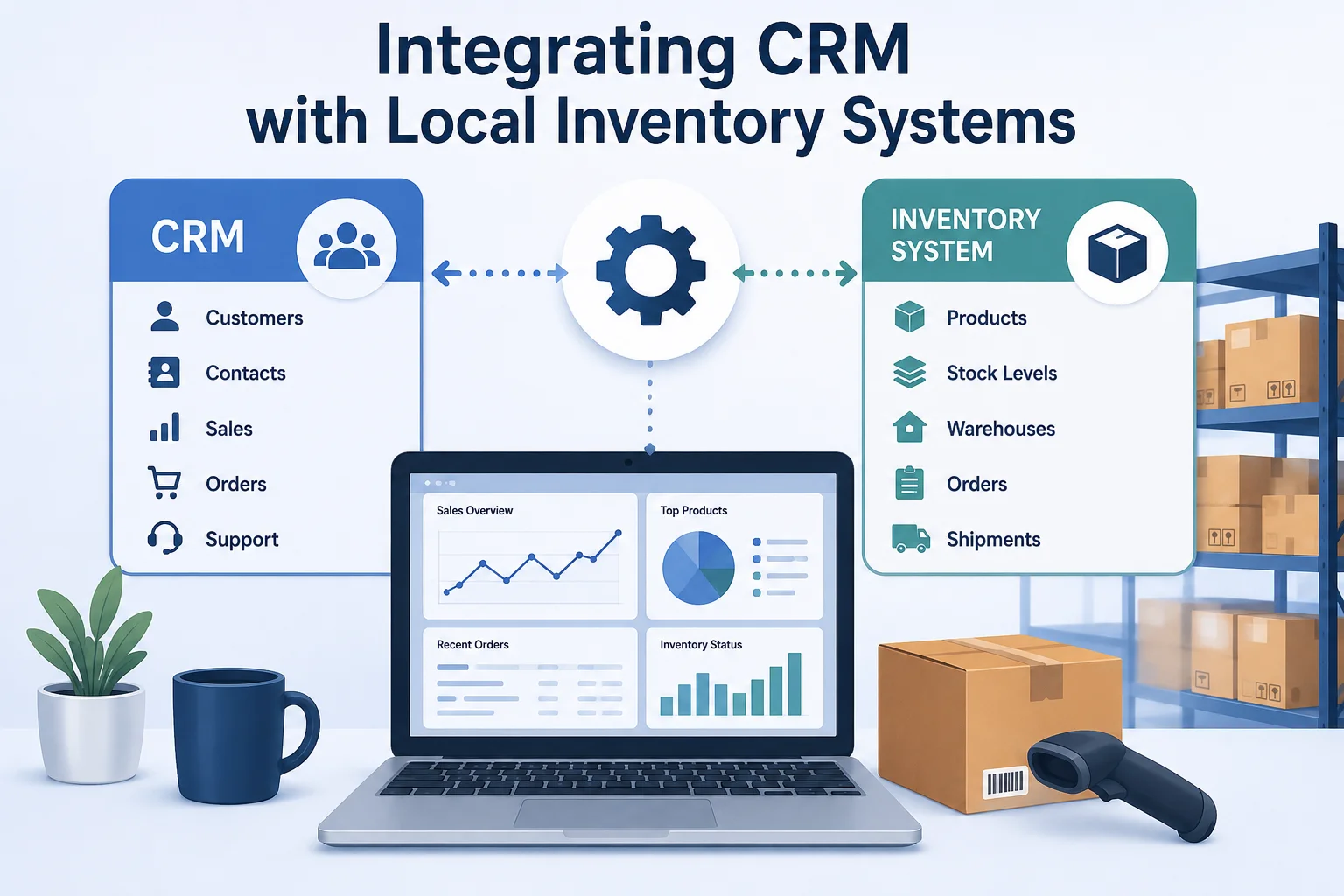
A Customer Relationship Management (CRM) system is software that helps businesses organize customer information, sales activities, support requests, and communication history.
A CRM helps businesses:
- Store customer information
- Track sales opportunities
- Manage leads
- Record customer interactions
- Improve customer support
- Generate reports
- Increase customer loyalty
Having all customer information in one place allows businesses to provide more personalized service and make informed decisions.
What Is a Local Inventory System?
A local inventory system manages products stored in physical locations such as warehouses, retail stores, or distribution centers.
These systems typically track:
- Product quantities
- Stock movements
- Warehouse locations
- Purchase orders
- Supplier information
- Product availability
- Shipping status
Accurate inventory management helps businesses reduce costs while ensuring products remain available when customers need them.
Why Integrate CRM with Local Inventory Systems?
Running these systems separately often creates unnecessary manual work and increases the risk of errors.
Integration provides several important benefits.
Improved Customer Experience
Sales teams can immediately check inventory availability before confirming orders, providing customers with accurate delivery expectations.
Real-Time Inventory Visibility
Employees always have access to current inventory levels, reducing stock shortages and preventing overselling.
Faster Order Processing
Orders entered into the CRM automatically update inventory records, reducing delays and manual work.
Better Business Decisions
Managers can combine customer purchasing trends with inventory data to forecast demand more accurately.
Reduced Human Error
Automatic synchronization eliminates repetitive data entry and significantly reduces mistakes.
Signs Your Business Needs CRM and Inventory Integration
Your business may benefit from integration if you experience:
- Duplicate customer information
- Inventory discrepancies
- Slow order fulfillment
- Frequent stock shortages
- Manual reporting
- Poor communication between departments
- Excessive spreadsheet usage
Step 1: Evaluate Your Current Software
Before beginning integration, review your existing systems.
Ask questions like:
- Which CRM platform do we use?
- Which inventory software manages stock?
- Do both systems support APIs?
- Are integration tools already available?
- Can the systems exchange information automatically?
Understanding your technology environment helps avoid future complications.
Step 2: Define Clear Business Goals
Every successful integration begins with clear objectives.
Examples include:
- Reduce inventory errors
- Improve customer satisfaction
- Automate order processing
- Speed up reporting
- Improve inventory forecasting
Clearly defined goals make it easier to measure success.
Step 3: Decide Which Data Will Be Shared
Not every piece of information needs synchronization.
Common examples include:
Customer Information
- Name
- Contact details
- Purchase history
- Loyalty status
Inventory Information
- Product ID
- Stock quantity
- Warehouse location
- Pricing
- Availability
Order Information
- New orders
- Returns
- Cancellations
- Shipping updates
Step 4: Select an Integration Method
Businesses typically choose one of three approaches.
API Integration
APIs allow systems to exchange information automatically in real time.
Advantages include:
- Fast synchronization
- Reliable communication
- Greater flexibility
- Better scalability
Middleware Solutions
Middleware connects different software applications without requiring extensive custom programming.
Benefits include:
- Faster implementation
- Lower development costs
- Easier maintenance
Custom Development
Large organizations sometimes require custom-built integrations tailored to their workflows.
Although more flexible, this approach usually requires additional technical expertise.
Step 5: Clean Your Data
Before connecting systems, verify that your data is accurate.
Review:
- Duplicate customers
- Incorrect addresses
- Missing product numbers
- Outdated inventory records
- Inconsistent naming conventions
High-quality data greatly improves integration results.
Step 6: Test Before Deployment
Never launch an integration without testing.
Recommended testing includes:
- Customer synchronization
- Inventory updates
- Order creation
- Reporting accuracy
- Backup verification
Testing minimizes business disruption.
Step 7: Train Employees
Successful integration depends on employee adoption.
Training should cover:
- New workflows
- Updated procedures
- Reporting changes
- Inventory management
- Customer record updates
Proper training helps maximize productivity.
Step 8: Monitor Performance
After implementation, monitor important performance indicators such as:
- Inventory accuracy
- Order fulfillment time
- Customer satisfaction
- Sales growth
- Data synchronization success
- Employee productivity
Continuous monitoring allows businesses to identify opportunities for improvement.
Common Challenges
Businesses may encounter several obstacles during integration.
Duplicate Records
Poor-quality data often results in duplicate customer profiles.
Software Compatibility
Older inventory systems may require upgrades before integration.
Security Risks
Customer and inventory information should always be protected through encryption, authentication, and regular security updates.
Internet Reliability
Cloud-based synchronization depends on stable internet connectivity.
Best Practices
Successful integrations typically follow these recommendations:
- Standardize data formats
- Automate repetitive tasks
- Schedule regular audits
- Document workflows
- Back up information regularly
- Review performance reports consistently
Security Considerations
Protecting business data should remain a top priority.
Recommended practices include:
- Multi-factor authentication
- Strong passwords
- Role-based permissions
- Encrypted communications
- Regular software updates
- Security monitoring
Measuring Success
Businesses should evaluate integration using measurable metrics such as:
- Inventory accuracy
- Order processing speed
- Customer satisfaction
- Sales conversion rate
- Error reduction
- Inventory turnover
These indicators demonstrate whether the integration delivers value.
Future Trends
CRM and inventory integration continues to evolve.
Emerging trends include:
- Artificial intelligence
- Predictive analytics
- Cloud-native platforms
- Mobile inventory management
- Advanced automation
- Real-time business intelligence
These technologies will help businesses become even more efficient in the future.
Frequently Asked Questions
Can small businesses integrate CRM with inventory software?
Yes. Many affordable solutions are available for businesses of all sizes.
Does integration require programming skills?
Not necessarily. Many modern platforms offer no-code or low-code integration options.
How long does integration take?
Implementation time depends on system complexity and business requirements. Smaller projects may take only a few days, while larger deployments can take several weeks.
Can integration improve customer satisfaction?
Yes. Accurate inventory information and faster order processing significantly improve the customer experience.
Conclusion
Integrating a CRM with a local inventory management system helps businesses improve efficiency, reduce manual work, and provide better customer service. By synchronizing customer information, inventory levels, and order data, companies gain real-time visibility into their operations while reducing costly errors.
With careful planning, clean data, proper testing, and continuous monitoring, organizations can build a reliable integration that supports long-term business growth. Whether you operate a small retail business or a large distribution company, investing in CRM and inventory integration is a practical step toward improving productivity and delivering a more consistent customer experience.

