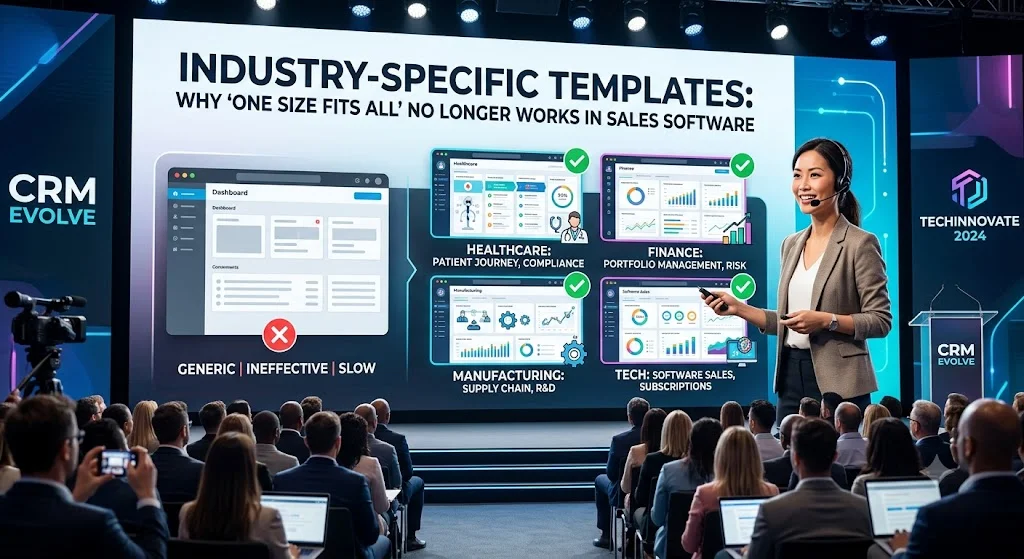
For over two decades, Customer Relationship Management (CRM) software operated on a simple premise: a lead is a lead, a pipeline is a pipeline, and a deal is a deal. Whether you were selling medical devices, commercial real estate, or enterprise software, you were expected to force-fit your business operations into the exact same rows, columns, and databases.
But that era is officially over.
Today, businesses are realizing that “one size fits all” sales software often fits no one well. Companies are abandoning generic, bloated CRMs in favor of verticalized SaaS and highly specialized industry-specific templates that match their exact operational realities.
The Hidden Cost of the “Generic” CRM
When a business buys a standard, out-of-the-box CRM, they are not buying a finished solution—they are buying a digital blank canvas. This creates several major bottlenecks:
The Customization Tax
Organizations spend tens of thousands of dollars on expensive external consultants just to rename standard fields (e.g., changing “Contact” to “Patient” or “Property Lessee”).
Low User Adoption
If sales reps have to navigate through dozens of irrelevant fields, menus, and tabs designed for other industries, they will stop using the software entirely, leading to dirty data and poor sales visibility.
Compliance Risks
Industries like healthcare (HIPAA) or finance (SEC regulations) require specialized data handling, audit trails, and strict access controls that generic sales systems simply cannot support without complex engineering.
The Rise of Vertical CRMs and Specialized Templates
Modern sales platforms are moving toward pre-configured, industry-specific templates that are ready to deploy on day one. These systems understand that different business models require fundamentally different data structures.
The usability rule is simple: The best CRM is not the one with the most features. It is the one your sales team actually uses. When software speaks the exact language of your industry, onboarding times drop and data accuracy skyrockets.
How Verticals Differ: A Sector-by-Sector Breakdown
To understand why a generic pipeline fails, look at how data models, key metrics, and workflows change across three major sectors. Below is a mobile-responsive breakdown of these operational differences:
Real Estate
-
Primary Data Entity: Physical Property (Listing)
-
Core Pipeline Metric: Days on Market (DOM)
-
Essential Native Integration: Multiple Listing Service (MLS) databases
-
Operational Focus: Tracking physical assets and scheduling property showings.
B2B SaaS
-
Primary Data Entity: Subscription / Account
-
Core Pipeline Metric: Customer Acquisition Cost (CAC) and Churn Rate
-
Essential Native Integration: Product usage tracking platforms (e.g., Mixpanel)
-
Operational Focus: Monitoring product engagement and recurring revenue metrics.
Healthcare
-
Primary Data Entity: Patient Profile
-
Core Pipeline Metric: Patient Retention and Appointment Show-Rate
-
Essential Native Integration: Electronic Health Records (EHR) via FHIR
-
Operational Focus: Patient care coordination and strict regulatory compliance.
How Specialized Templates Streamline Your Sales Operations
Using software pre-configured for your specific niche changes how your team operates in three major areas:
1. Instant Vocabulary Alignment
Instead of forcing your staff to mentally translate terms, the system matches your daily workflow. A wealth management firm needs to see “Assets Under Management (AUM)” and “Portfolio Risk Tolerance,” while a commercial contractor needs to track “Estimator Assignment,” “Subcontractor Bids,” and “Retainage.” Templates deliver this terminology on day one.
2. Pre-Built Automation Playbooks
An industry-specific template comes pre-loaded with logical automation rules. For instance:
-
For Automotive: Automatic lease-end notifications trigger exactly 180 days before a client’s vehicle contract expires.
-
For Agencies: Project creation sequences run the second a design retainer deal moves to “Closed-Won.”
3. Out-of-the-Box Native Integrations
A generic CRM requires custom APIs to connect to niche systems. An industry template is built with these connections in mind, easily syncing with specialized tools like property valuation platforms, medical scheduling software, or legal billing systems.
Frequently Asked Questions (FAQ)
What is the difference between a generic CRM and a vertical CRM?
A generic CRM is a blank slate designed for any business, requiring extensive custom development to fit your workflow. A vertical CRM (or industry-specific template) comes pre-configured from day one with fields, terminology, automated pipelines, and compliance standards tailored to a specific industry, such as real estate or healthcare.
Will my team lose customization options if we use an industry template?
No. Industry-specific templates provide a highly tailored starting point, but they still allow you to customize fields, add custom automation rules, and modify layout designs as your business scales. You simply bypass the expensive phase of building the core architecture from scratch.
Is it difficult to migrate data from Excel spreadsheets into a specialized template?
No, it is usually much easier. Because specialized templates are already mapped to your industry’s standard vocabulary, migrating your data from structured spreadsheets or older software aligns naturally with the pre-configured fields, reducing data cleanup time.
Conclusion: Stop Building, Start Selling
In today’s fast-paced market, businesses can no longer afford to spend six months and a massive budget building custom databases from scratch.
By leveraging industry-specific templates, organizations can bypass the expensive “development tax” and launch a fully compliant, hyper-tailored sales system in a fraction of the time. The future of software is vertical, and the companies that adopt specialized tools first will scale past those still struggling to customize yesterday’s generic spreadsheets.

